Tiktok ER% Checker
Engagement Rate Calculator Tools
An engagement rate calculator for celebrity and influencer TikTok accounts, helping you assess their performance, evaluate whether a paid partnership offers good value, or check the quality of a specific TikTok account.
How to Use the Engagement Rate Tool
To calculate a TikTok account’s engagement rate, start with the username or profile link of the account you want to check, then follow the three steps below.
1. Enter a TikTok Username or Profile Link

Copy the username or profile URL of the TikTok account you want to check, then paste it into the tool’s TikTok username or profile link field. Make sure you enter the correct TikTok username, not the display name shown on the profile.
2. Calculate the Account’s Engagement Rate
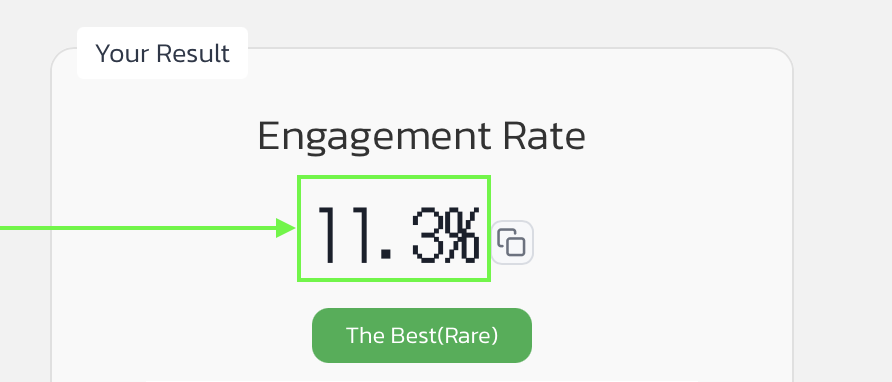
Once you have entered the details, click Calculate to see the TikTok account’s engagement rate (%), follower count, likes per post, and comments per post.
3. Copy or Download the Results
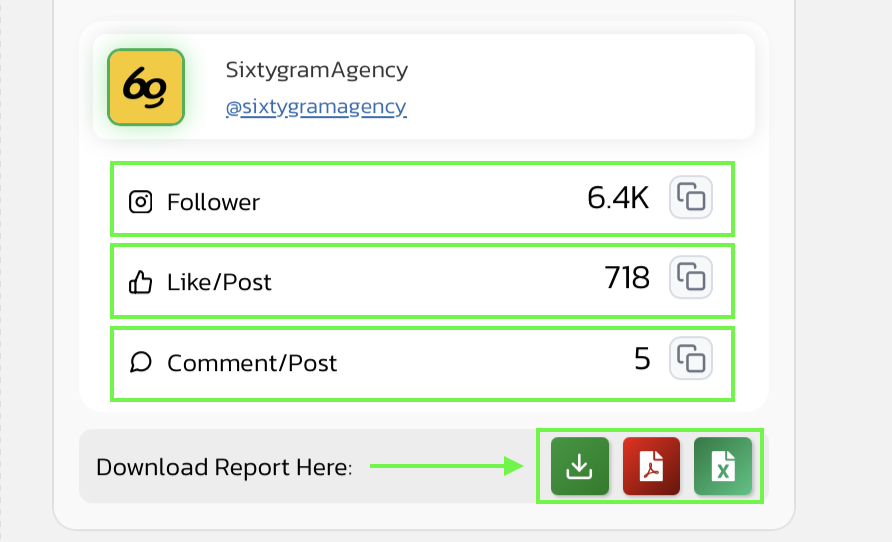
Once the engagement rate results are fully displayed, you can download an XLS file or copy the data to use when planning influencer marketing campaigns with that account.
Example Result
Engagement Rate
4.5%
The Best(Rare)

TikTok Username Appears Here
@Tiktok Link Here
Follower | |
Like/Post | |
Comment/Post |
Download Report Here:
What Is TikTok Engagement Rate?
TikTok Engagement Rate, or ER%, is a measure of engagement with TikTok content, expressed as a percentage. It shows how much interaction a video receives relative to a reference metric, such as follower count or views. On TikTok, follower count alone may not tell the whole story because videos can reach people who do not follow the account through the For You feed. Smaller accounts can therefore receive more engagement than their follower count might suggest, as outlined in TikTok’s explanation of how it recommends content. ER is useful when assessing influencer accounts, but you should also watch their videos to understand what attracts audience interest. Some videos receive likes because they are funny, while others prompt viewers to ask where to buy a product, and those responses have different implications when choosing an influencer for a paid review.
How to Calculate TikTok Engagement Rate
Engagement Rate (ER) measures how much interaction a TikTok account generates relative to its follower count, rather than looking at likes alone. This tool uses the following follower-based formula
ER% = [(Average Likes per Post + Average Comments per Post) ÷ Follower Count] × 100
Our tool retrieves the account’s latest videos, up to approximately 12, and calculates the average likes and comments per post. It then adds these averages together, divides the total by the account’s follower count, and multiplies the result by 100 to express it as a percentage. For example, an account with 20,000 followers that averages 900 likes and 100 comments per post has an average of 1,000 interactions per post, giving it an ER of (1,000 ÷ 20,000) × 100 = 5%.
Why Do We Use This Formula?
The follower-based formula used in our TikTok Engagement Rate Calculator makes it easier to compare accounts of different sizes. For example, a smaller account with fewer likes may have a higher ER than a larger account whose likes look impressive but represent a smaller proportion of its followers. When using engagement rate as a benchmark, the focus is on how much interest each post generates relative to the account’s follower base, rather than the total number of likes alone.
Another approach is the view-based formula, which divides engagement by views to measure individual video performance. However, it can give a less representative picture of the account overall if the calculation includes only a few videos that recently went viral. Our tool instead assesses engagement across recent posts relative to the account’s follower base, making it more suited to evaluating potential paid partnerships and shortlisting influencers.
How to Read a TikTok Account’s ER% Results
Once the results appear, review the ER alongside three other metrics to understand the size of the account and the engagement behind its score:
|
Result |
How to Interpret It |
|---|---|
|
Engagement Rate (%) |
The proportion of interactions calculated using the stated formula, not the percentage of viewers who purchase a product. |
|
Follower Count |
The number of people following the account, not the number who will see every video. |
|
Likes per Post |
The average likes per post in the sample used for the calculation, not the total likes across the entire account. |
|
Comments per Post |
The volume of comments per post. Read them to distinguish product questions from general remarks. |
For TikTok, review video views alongside these metrics. If a video has a very high view count but receives few likes or comments, views and engagement have not increased proportionally. However, some viewers may watch to the end or visit a product page without leaving a comment, so request additional account analytics when needed.
How to Use
1. Review the Influencer’s Previous Product Reviews
When using this tool to choose a TikTok influencer, review their past product reviews alongside their ER, including how they demonstrate products, explain key features, and encourage viewers to take action. High engagement on dance or comedy videos does not necessarily mean the creator can deliver an effective review for your brand.
2. Check Engagement Across Multiple Videos
Compare the calculated ER with engagement across several recent videos to see whether the influencer performs consistently. If one viral video accounts for most of the interactions, check whether it reflects their usual content or a one-off event before using that performance to set expectations for your campaign.
3. Look for Product Interest in the Comments
Comments asking about prices, product features, how to use an item, or where to buy can help you assess whether an influencer’s content generates relevant interest. Comments about music, appearance, or jokes may reflect entertainment value, but they do not necessarily indicate interest in the product. Read the comments alongside the figures shown in this tool to judge whether the engagement fits your campaign goals.
4. Ask for Sales Results Before Booking a Sales-Focused Campaign
If you are hiring a TikTok influencer to drive sales, request relevant results from previous campaigns, such as product clicks, orders, and sales, and check whether paid advertising contributed to those results. Use ER to shortlist influencers, then use sales data to assess their track record of converting interest into purchases.
Limitations of Checking TikTok Engagement Rate
1. It Does Not Show How Long Viewers Watch
Likes and comments do not reveal average watch time or completion rate. To assess whether viewers stay long enough to reach the product introduction, you need to review viewing data from the account’s performance analytics dashboard
2. ER May Include Engagement from Paid Ads
If a video has been promoted with an advertising budget, its figures may include engagement from viewers reached through ads. A tool that uses total engagement alone cannot confirm that all interactions were generated organically.
3. New Videos Have Had Less Time to Gain Engagement
A video posted a few hours ago has had less time to accumulate engagement than one published several days earlier. Comparing ER without checking posting dates may make a new video appear to underperform when it is still too early to draw that conclusion.
4. A High ER% Does Not Confirm Follower Quality
An ER calculation does not verify whether an account’s followers are real people rather than bots, nor does it tell you whether viewers live in the same country as the creator or share interests relevant to your brand. Before hiring an influencer, review audience data and examples of their work, especially if your products are sold only in specific locations or target a niche audience.